
Find Answers. Solve Faster. Move Forward.

Get the help you need to use EizBiz AI with confidence. From getting started guides to advanced features, our Help Center is designed to provide clear solutions

EizBiz 35 e1766321173884
Step by Step Guide

How to Use the EizBiz AI
Help Center

The EizBiz AI Help Center is designed to help you find answers quickly, solve issues, and learn how to use features effectively. Follow the steps below to get the support you need.

01
Go to EizBiz AI Platform
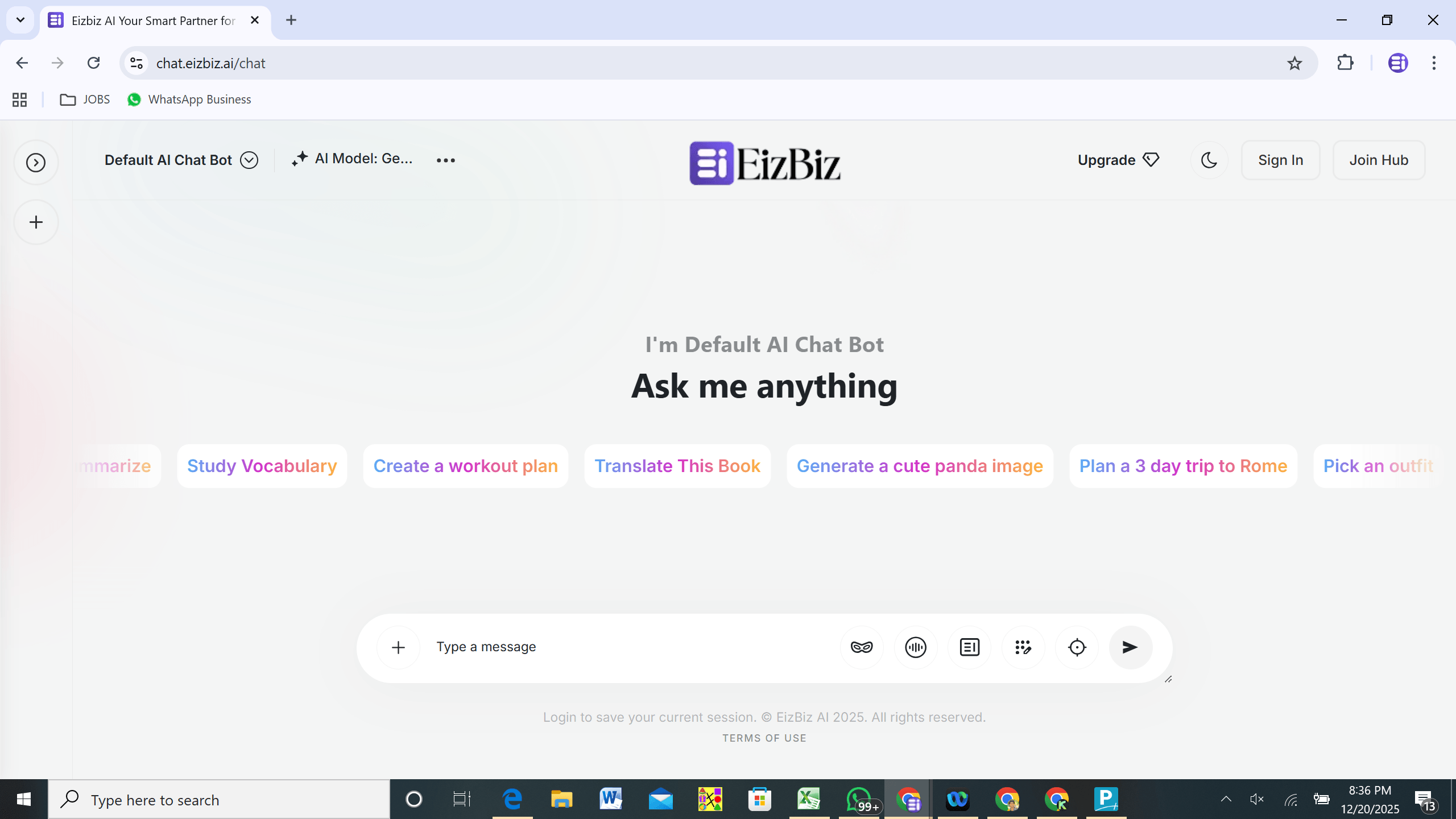
Open your browser and visit https://chat.eizbiz.ai You will see the EizBiz welcome screen similar to the image shown.
1 W
shape
02
Sign In or Create an Account
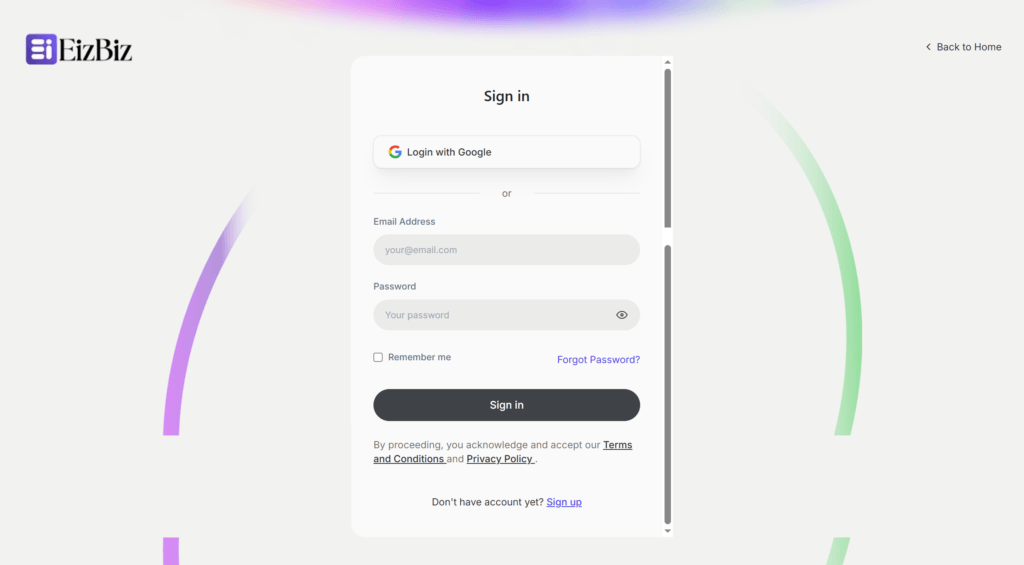
On the top right corner, choose Sign In if you already have an account, or select Join Hub to create a new account. Existing users can enter their email and password to access the dashboard. New users can complete registration and then sign in to get started.
3 Signin
03
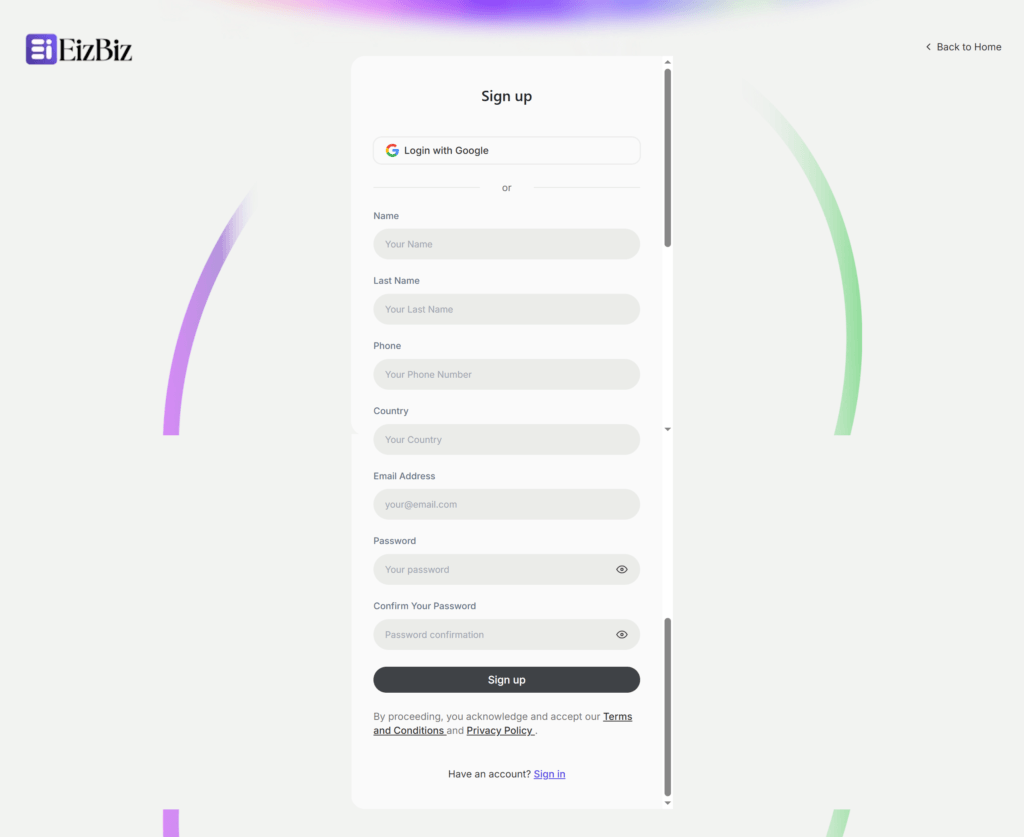
Join Hub for New Users
If you are a new user: Click on Join Hub Fill the registration form Click Sign Up Once registered, you can log in using your email and password.
2 Signup D
04
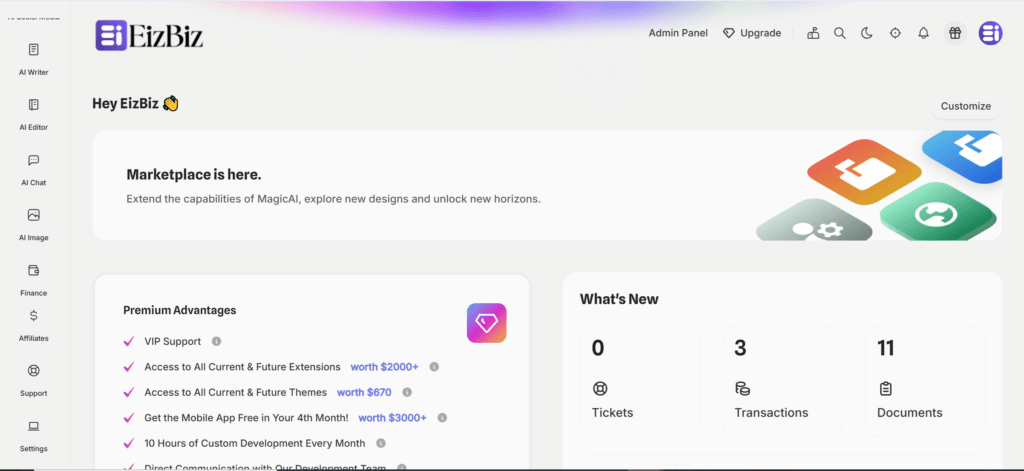
Access the Dashboard
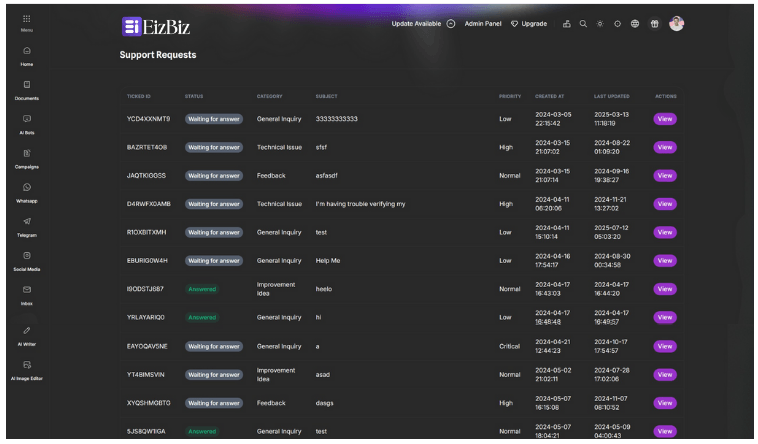
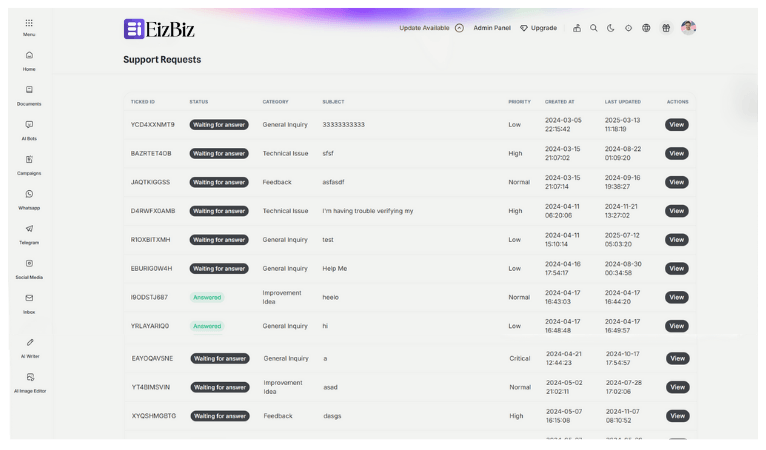
After successful login, your dashboard will appear as shown in the image. Here you can access all EizBiz AI tools and features. Scroll down to the bottom of the left menu Click on Support This will take you to the Support Requests page.
group image 4
4 Main Menu e1766319219970
05
Create a New Support Ticket
Click on New Ticket Select the issue category Submit the ticket Our support team will review your request. Support Response Time Response Time: Our support team will get back to you within 48 hours.
EizBiz 34 e1766321042733
Testimonials

Real Stories, Real Results

See how businesses creators and teams use EizBiz AI to work faster improve quality and scale with confidence.

Built using globally trusted AI Models and creative technologies

  • Vizard
  • Anthropic 1 e1766141658737
  • OpenAI 2
  • Google Gemini logo 2025.svg 1
  • stability.ai
  • DeepSeek
  • EizBiz 28
  • Unsplash
  • TopView
  • Together
  • Synthesia
  • Speechify
  • Serper
  • Pebblely
  • Opem router
  • Nvidia
  • Mistral
  • Meta
  • Luma
  • Kuishou
  • Ideogram
  • heyGen
  • Gamma
  • Freepik
  • ElevenLabs
  • Azur AI